 This is the second series I’m doing on iPhone and iPad programming. The first time I covered the underlying language called Objective C. If you haven’t seen that already, go there first. Objective C Tutorial
In this series I will teach you how to program for the iPhone / iPad, by showing you how to make working app’s. First, you need to understand the concept of the Model-View-Controller.
Model-View-Controller
In the programming world there are things called Design Patterns. You really should understand OOP Principle’s before you try to move into the world of Design Pattern’s. Go here to learn Object Oriented Programming.
If you understand OOP, you’ll understand that a Design Pattern tells you how to structure objects and classes so that you can best solve specific problems. By using a Design Pattern:
- Those you are working with will understand your code
- You are coding with maximum efficiency
So, now back to the Model-View-Controller. The whole framework used to program on the iPad and iPhone, is based on the MVC. Let me give an example on how a user of your app will interact with the MVC interface:
- The user interacts with the screen or View, by pressing a button
- The View, or the button on the screen, tells the Controller that a button has been pressed
- The Controller tells the Model that a button has been pressed
- The Model, that stores all the data, functions, and state change information may tell the View to change. It may also get data required by calling specific function’s.
- The Controller may require the View to change also
To break it down simply, the Model is the brain of the app. It knows what the app is doing at all times, knows when anything has been changed, knows what function to call when anything occurs.
The View knows when someone has interacted with it.
The Controller is contacted when the View has been interacted with and then decides what to tell the Model.
If you don’t quite get it, a few example’s should make it very clear.
The Tool’s you Need
You need the following tool’s to write iPhone/ iPad app’s:
- A Macintosh Computer that run’s OS X 10.6 or higher (A Mac Mini will do the job)
- You need to sign up to be a iPhone Developer http://developer.apple.com/iphone/
- You need to download the latest version of the iPhone SDK (current version is 3.2, but 4.0 is in beta)
- You’ll need a working knowledge of Objective C. You don’t have to be an expert, just be capable of reading code.
There are three versions of the iPhone SDK, which are all the program’s you’ll use to program with. They are:
- The Free SDK: Allows you to create program’s, but won’t allow you to load your program on a real device, or upload them to the Apple App Store.
- The Standard SDK: (Cost $99) Allows you to write program’s, load them on a device for testing and upload them to the Apple App Store
- The Enterprise SDK: (Cost $299) All the functionality as the Standard version, but is set up to allow for more than one developer to work on the app at the same time.
In this presentation I’ll be using the Free & Standard SDK. You’ll more than likely use the same.
What Tool’s do you Get with the SDK
- XCode: Is a tool used to write, compile and debug your app
- Interface Builder: Is the tool used to drag and drop interface element’s on your app’s screen
- iPhone Simulator: It will show you how your app will run on a simulated iPhone.
The Tragic Eleven Ball
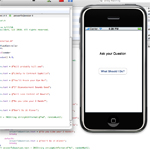
The app we are going to make is called the Tragic eleven ball. It will allow the user to ask the iPhone a question, click a button and then get some bad news. I’ll walk you through how every line of code works.
Start up XCode
- Double click on the XCode icon (The Welcome Screen provide’s links to documentation, video tutorial’s, sample code, etc.)
- Click on New Project…, which lies under the File menu item
- Click on Application, in the left sidebar, under the words iPhone OS
- Click on View-based Application, in the center of the screen. (The View-based Application is the simplest to use. Since this is your first app, it only makes sense to use it.)
- Click the Choose… button, and type Hello World, in the popup window
You are on your way to creating your first app. The XCode Application has many part’s:
- Groups & Files: All of the file’s needed for your project are located here in folder’s.
- Top Toolbar: Provides a quick click to commonly used tools. Click Build and Go and your app is compiled an run in the iPhone Simulator with a click.
- Detail View: The window that lie’s to the right of Groups & Files and under the toolbar, is known as the Detail View. It provide’s you with additional information on the file’s you select in Groups and Files.
- Editor Window: The biggest window is where you will edit and view your code.
Groups & Files
I feel I should provide some detail on the types of file’s contained in the Groups & Files Window:
Classes: This is were most of your code will reside. Since you named your Project Hello World, some file’s have already been created for you, as you can see if you click on the arrow next to that folder.
Other Sources: Here you will find pre-created framework’s (code library’s) and the main() method for your app. These file’s are also pre-made for you.
Resources: Here you store any data you might need. Such as: your app’s icon, Hello_WorldViewController.xib (the controller for your app), MainWindow.xib (The code needed to build your interface, or view) and the plist file that contains info on your app.
Frameworks: Pre-made code libraries available for your use.
Products: Contain’s the working app, after you compile it.
That’s All Folk’s
I hit you with a lot of information in this article. Tomorrow, or in the next article I create the rest of the code needed for the Tragic Eleven ball.
If you have any questions leave them below
Here to Serve
Think Tank
 In part 3 of my PHP Security video tutorial I go over the most vulnerable ways hackers attack websites. I focus a lot on authentication and client side attacks. Specifically I go over the tools and techniques used to: