Category Archives: Web Design

Design To Website, Blog How To Set Up, Google Update Pagerank, Google Crawl, Free Submit Site

Most Popular Search Words

Most Searched for WordsPiper wrote back and said, “I think the list of the most popular search words would be more useful? Could you get the terms words and then list them by words? Could you give me the best phrases words also?”

I can definitely give you the list of the most popular word’s typed into Google. I think that is what you are looking for?

As per providing the most commonly typed phrases, that changes all of the time. It also would probably be a bad idea to focus on using the most common phrases because the competition for those phrases would be extremely high.

Continue reading Most Popular Search Words

How to Setup Feedburner Google Feed

Feedburner Google RSS FeedI’ve received many requests on how to set up RSS Feedburner feeds. Many people prefer to subscribe to RSS feeds, so that they are informed when their favorite sites add new content. You’ll find out how to do just that in this article.

What is RSS?

RSS stands for Real Simple Syndication. It is a web standardized feed format. It provides a list of article’s, a brief description, author information, etc. To see mine, go to this site http://www.newthinktank.com/feed. This is normally the location of all feed’s.

Continue reading How to Setup Feedburner Google Feed

Words Google Ignores

Google LogoPiper648 wrote in and asked for SEO help. Specifically Piper asked, “Can you give me some SEO trick’s that aren’t obvious? Most Search Engine Optimization sites just state to spread keywords throughout your content, put them in bold, etc. Tell me something I don’t know.”

Wow, a challenge! The biggest mistake people make when starting a site, is that they don’t pay attention to their domain name. I even made that mistake with this domain. You want to do the research using the Google tool’s to find the perfect phrase meaning:

Continue reading Words Google Ignores

Make an iPhone App Pt 1

Make iPhone AppThis is the second series I’m doing on iPhone and iPad programming. The first time I covered the underlying language called Objective C. If you haven’t seen that already, go there first. Objective C Tutorial

In this series I will teach you how to program for the iPhone / iPad, by showing you how to make working app’s. First, you need to understand the concept of the Model-View-Controller.

Model-View-Controller

In the programming world there are things called Design Patterns. You really should understand OOP Principle’s before you try to move into the world of Design Pattern’s. Go here to learn Object Oriented Programming.

If you understand OOP, you’ll understand that a Design Pattern tells you how to structure objects and classes so that you can best solve specific problems. By using a Design Pattern:

  • Those you are working with will understand your code
  • You are coding with maximum efficiency

So, now back to the Model-View-Controller. The whole framework used to program on the iPad and iPhone, is based on the MVC. Let me give an example on how a user of your app will interact with the MVC interface:

  • The user interacts with the screen or View, by pressing a button
  • The View, or the button on the screen, tells the Controller that a button has been pressed
  • The Controller tells the Model that a button has been pressed
  • The Model, that stores all the data, functions, and state change information may tell the View to change. It may also get data required by calling specific function’s.
  • The Controller may require the View to change also

To break it down simply, the Model is the brain of the app. It knows what the app is doing at all times, knows when anything has been changed, knows what function to call when anything occurs.

The View knows when someone has interacted with it.

The Controller is contacted when the View has been interacted with and then decides what to tell the Model.

If you don’t quite get it, a few example’s should make it very clear.

The Tool’s you Need

You need the following tool’s to write iPhone/ iPad app’s:

  • A Macintosh Computer that run’s OS X 10.6 or higher (A Mac Mini will do the job)
  • You need to sign up to be a iPhone Developer http://developer.apple.com/iphone/
  • You need to download the latest version of the iPhone SDK (current version is 3.2, but 4.0 is in beta)
  • You’ll need a working knowledge of Objective C. You don’t have to be an expert, just be capable of reading code.

There are three versions of the iPhone SDK, which are all the program’s you’ll use to program with. They are:

  • The Free SDK: Allows you to create program’s, but won’t allow you to load your program on a real device, or upload them to the Apple App Store.
  • The Standard SDK: (Cost $99) Allows you to write program’s, load them on a device for testing and upload them to the Apple App Store
  • The Enterprise SDK: (Cost $299) All the functionality as the Standard version, but is set up to allow for more than one developer to work on the app at the same time.

In this presentation I’ll be using the Free & Standard SDK. You’ll more than likely use the same.

What Tool’s do you Get with the SDK

  • XCode: Is a tool used to write, compile and debug your app
  • Interface Builder: Is the tool used to drag and drop interface element’s on your app’s screen
  • iPhone Simulator: It will show you how your app will run on a simulated iPhone.

The Tragic Eleven Ball

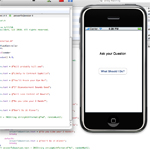
The app we are going to make is called the Tragic eleven ball. It will allow the user to ask the iPhone a question, click a button and then get some bad news. I’ll walk you through how every line of code works.

Start up XCode

  • Double click on the XCode icon (The Welcome Screen provide’s links to documentation, video tutorial’s, sample code, etc.)
  • Click on New Project…, which lies under the File menu item
  • Click on Application, in the left sidebar, under the words iPhone OS
  • Click on View-based Application, in the center of the screen. (The View-based Application is the simplest to use. Since this is your first app, it only makes sense to use it.)
  • Click the Choose… button, and type Hello World, in the popup window

You are on your way to creating your first app. The XCode Application has many part’s:

  • Groups & Files: All of the file’s needed for your project are located here in folder’s.
  • Top Toolbar: Provides a quick click to commonly used tools. Click Build and Go and your app is compiled an run in the iPhone Simulator with a click.
  • Detail View: The window that lie’s to the right of Groups & Files and under the toolbar, is known as the Detail View. It provide’s you with additional information on the file’s you select in Groups and Files.
  • Editor Window: The biggest window is where you will edit and view your code.

Groups & Files

I feel I should provide some detail on the types of file’s contained in the Groups & Files Window:

Classes: This is were most of your code will reside. Since you named your Project Hello World, some file’s have already been created for you, as you can see if you click on the arrow next to that folder.

Other Sources: Here you will find pre-created framework’s (code library’s) and the main() method for your app. These file’s are also pre-made for you.

Resources: Here you store any data you might need. Such as: your app’s icon, Hello_WorldViewController.xib (the controller for your app), MainWindow.xib (The code needed to build your interface, or view) and the plist file that contains info on your app.

Frameworks: Pre-made code libraries available for your use.

Products: Contain’s the working app, after you compile it.

That’s All Folk’s

I hit you with a lot of information in this article. Tomorrow, or in the next article I create the rest of the code needed for the Tragic Eleven ball.

If you have any questions leave them below

Here to Serve

Think Tank

Get your Web Page to Load Faster

Go Daddy Grid HostingIncrease Website SpeedOver the last few week’s, traffic on my site has dramatically increased. One problem, my current hosting plan was no longer cutting it. My site was unavailable all together every Tuesday, Wednesday and Thursday from 11am to 1pm. This is by the way the time when the most people are on the internet, looking for new website’s.

I was at that time on a Go Daddy, Deluxe Hosting plan. This is what they call a shared hosting plan. That means that I was sharing a server with a bunch of other website’s. So, my site’s speed was not only effected by my traffic, but also by those other site’s I was sharing space with.

Dedicated Server?

Everyone I was talking to, told me I’d have to bite the bullet and get a dedicated server account. A dedicated server would solve the problem, but they cost between $60 to $300 per month! I’m not the New York Time’s! So, I started looking for other alternatives.

Grid Hosting?

An alternative to dedicated servers, is Grid Hosting. Here as your traffic increases, more server’s are called online to serve data to your hungry visitor’s. It has been absolutely amazing. Let me compare:

Shared Hosting

  • During heavy traffic period’s my web page wouldn’t load at all
  • During semi-heavy period’s my site would take 7 second’s to load
  • My site on average took 4 second’s to load (Still not fast enough)

Grid Hosting

  • My site loads in 2 seconds or less during heavy traffic periods!
  • It costs the same amount as the shared deluxe plan ($6.99 / mon)
  • Go Daddy, will perform the whole account transfer for free

Negative’s of Grid Hosting

  • You can’t use Java on your site
  • You can’t use ColdFusion on your site
  • You can’t serve your own video, but you can embed video

False Rumor’s About Go Daddy

Almost everywhere you look, you see people saying how bad Go Daddy is. Who are these people? My guess is that most of them are competitor’s. The reason why is that every time they say something bad about Go Daddy, they talk about how they host with this unknown hosting company. I’d like to set a few thing’s straight:

  • My average wait time is normally 3 minute’s for free customer support
  • It takes about 10 minute’s maximum for them to make any site change’s for you
  • They will walk you through most any fix on the phone, for free
  • They are very inexpensive for all that you get
  • I have had period’s in which I had to contact them multiple times in one day. All the technical support, was free

You should definitely give grid hosting a try. Heck, if you have a Deluxe Plan already, it cost’s the same per month.

Till Next Time

Think Tank

WordPress Problem’s Solved Pt 3

Here I’ll continue going over the most common problem’s people have with WordPress. If I have not covered your WordPress problem, leave your question’s in the comment section below. Here are the topic’s I’ll cover today:

  • How to set up a Gravatar
  • How to make an error 404 page in WordPress
  • How to post to multiple site’s using WPing FM
  • How to post video’s to multiple site’s

Continue reading WordPress Problem’s Solved Pt 3

WordPress Problem’s Solved Pt 2

Wordpress Problems SolvedIn this article, I’m going to continue going over the most common problem’s people have with WordPress. If I don’t cover an issue you are having, leave your question in the comment section below. Here I’ll show you:

  • How to make a static home page in WordPress
  • How to change the number of post’s that are displayed
  • How to use the more tag
  • How to properly cut & paste content into WordPress
  • How to get a ranking boost with permalink’s
  • Which security plugin’s to use
  • How to upgrade WordPress
  • How to Make a Favicon
  • How to Forward from One Site to Another

Video Below

Continue reading WordPress Problem’s Solved Pt 2

WordPress Problem’s Solved Pt 1

Wordpress Problems SolvedI’ve designed about 40 WordPress site’s and taught 20 plus people how to use it. In this article I’m going to go over the most common problem’s people have with WordPress. I’ll show you:

  • How to add content easily and legally
  • How to add descriptions, titles and keywords the right way
  • How to use the Media Library to add image’s and other media
  • How to edit image’s in WordPress
  • How to embed Video from Youtube using Viper’s Quicktag’s
  • How to embed media using Scribd

Video Below

Continue reading WordPress Problem’s Solved Pt 1

iPhone Development: Objective C Pt 5

Object Oriented ProgrammingObject Oriented Programming with Objective C

In a previous article, I explained how you create object’s, instance variable’s and method’s in Objective C. In this article, I’ll explain Inheritance, Polymorphism and go over other OOP topic’s I missed previously.

Briefly, Inheritance provide’s you with a way to build additional capability’s onto existing class’s.

Polymorphism is a little more complicated. It allows you to call a parent object method and it will sort out which class object method should be executed.

Continue reading iPhone Development: Objective C Pt 5

iPhone Development: Objective C Pt 4

Objective C LoopingLooping, Decision Making & Arithmetic Operation’s

In this article, I’ll review how to perform action’s repetitively with looping. I’ll then cover how to program decision making into your Objective C code. Finally, I’ll go over all of the arithmetic operation’s that are built into Objective C.

Continue reading iPhone Development: Objective C Pt 4

Illustrator CS5 Review & Tutorial

Illustrator CS5 Review TutorialI just received, the just released version of Illustrator CS5. Here I’ll show you everything new, give you tutorial’s on how to use those new tool’s and provide an overall review. (Video Below)

PRO’s: The new bristle brush tool provides a great new way to draw in Illustrator CS5. Amazing ability to past image’s into text. Having the ability to draw into path’s is very useful. The perspective tool is very cool. I can’t wait to create city scene’s with it!

CON’s: Still cannot create multiple page layout’s in one eps file?

Continue reading Illustrator CS5 Review & Tutorial

Photoshop CS5 Review & Tutorial

Photoshop CS5 Review TutorialI just received the just released version of Photoshop CS5. Here I’ll show you everything new, give you tutorial’s on how to use those new tool’s and provide an overall review. (Video Below)

PRO’s: The magic lasso has been perfected. You can delete object’s from a photo and automatically replace that deleted object with a sampling from the rest of the photo. The Healing Brush makes fixing photo’s a breeze.

CON’s: The content aware tool isn’t perfect, but still amazing.

Continue reading Photoshop CS5 Review & Tutorial

iPhone Apps: Objective C Pt 3

Data Type’s in Objective C

Apple KeyboardIn this article I’ll go over all of the data type’s available to you with Objective C. They include:

  • int: Positive or negative number’s, without a decimal point
  • float: Positive or negative numbers, with a decimal point
  • double: Large floats
  • char: Single character’s
  • id: Generic datatype used to store a reference to an object. I’ll cover this in detail later.
  • arrays: Think of an array as a big box, with many boxes inside of it. Each of the boxes inside the big box contain a value.
  • strings: A string of characters

Continue reading iPhone Apps: Objective C Pt 3

Easy Fix for a WordPress Hacked Site

Wordpress Site HackedThe good people at Sucuri Security created an easy way to fix your WordPress site if it has been hacked. Just upload this file, after you change the extention from .txt to .php. You can do this through your hosting companies dashboard, or via FTP.

Then you just call for the script via a browser like this http://www.yoursitename.com/wordpress-fix_php.php

It seems to fix every hacked website I’ve come across?

Continue reading Easy Fix for a WordPress Hacked Site

iPhone Development : Objective C Pt 2

iPhone DevelopmentIn the previous article I gave you a brief overview of Object Oriented programming and showed you a little Objective C code. Objective C is the language used to program on all the Apple device’s and in this article you’ll learn a lot more about it.

Software you Need

To develop iPhone app’s you will need to download some free software from Apple. You get it online here: http://developer.apple.com/iphone/. It’s called the iPhone SDK and the current version is 3.2 as of this writing.

Continue reading iPhone Development : Objective C Pt 2

iPhone Apps: Objective C Development Pt. 1

xCode iPhone App DevelopmentHere I begin my tutorial on iPhone, iPod Touch and iPad development. It’s surprisingly easy to develop for these device’s if you have a background in programming.

You must learn a new language to be able to develop anything on these device’s and that is Objective C. In this tutorial I will begin by explaining Object Oriented Programming using Objective C.

I wrote and taped a tutorial on OOP using JavaScript. I go into a lot of detail and give a bunch of example’s that explain OOP. You might want to watch / read that before proceeding?

Continue reading iPhone Apps: Objective C Development Pt. 1

Make a Website Video Tutorial

Make a Website Video TutorialHere I have combined all of my website tutorial’s in to one place. If you want, you can learn how to design website’s, using this tutorial. There are 71 Free Video’s in all. This video provides link’s to all of the video’s through YouTube, or you can select the video you want to watch from the list below.

These tutorial’s and the code that belongs with them, is here on New Think Tank.

Continue reading Make a Website Video Tutorial

JQuery & Ajax Free Video Tutorial

JQuery Video TutorialIn this series of tutorial’s I will show you how to use the amazing JQuery Framework. Not only that, but I’ll show you how to use it to master your Ajax techniques.

If you don’t know, Ajax is an approach to using HTML, JavaScript, DHTML, and the DOM. It allows you to create interactive web applications. When Ajax is implemented with JQuery, you dramatically decrease the complications of implementing AJAX techniques.

Briefly, you will learn:

  • How to Select and Edit Element’s without a page reload
  • How to perform many animation’s live on the screen
  • How to pull text from the server
  • How to pull XML data from the server
  • How to communicate with php script’s on the server, without a reload
  • Many fast ways to perform normally complicated JavaScript tasks
  • And, much more…

Continue reading JQuery & Ajax Free Video Tutorial

JQuery & AJAX Passing Info to the Server

Here I show you multiple ways you can retrieve text and xml from the server, using JQuery and AJAX technique’s. Of course, this works without a page reload. I’ll also show you how to send data to the PHP server for processing. Like always I’ll walk you through the code and explain everything in blue boxes that lie after the code.

First Here is the XML

Here is the xml code that we will be loading asynchronously onto our web page.

Continue reading JQuery & AJAX Passing Info to the Server