C++ Tutorial

Install C++Here I will begin my large C++ tutorial that many people have been asking for. I decided to teach C++ through problem solving. This first video covers preprocessor directives, main, cout, if, terminal arguments, for, data types, variables, constants, printf, strings, getline, cin, conversions, and much more.

This tutorial is light on problems, but for each forward I’ll try to include at least 3 progressively complex problems for you to solve. I hope you enjoy it. Continue reading C++ Tutorial


Setup Visual Studio Code MacOS

Setup Visual Studio Code on MacI received a bunch of requests on how to setup Visual Studio Code on MacOS and so I made a tutorial. I’ll show how to install C / C++ and then cover how to get Visual Studio code to work as a great C++ and Arduino platform. Windows users look here.

Here is the link to Visual Studio Code. I also received questions on what Arduino kit I plan on using in my upcoming tutorials so here that is for those that are interested. If you get the Unable to open ‘PIO Home’ error, here is the fix. Continue reading Setup Visual Studio Code MacOS

Install C++ & NetBeans

Install C++I asked everyone to tell me what tutorial they wanted and C++ won. In this tutorial I show you how to install C / C++ and NetBeans on both Windows and MacOS. I decided to use NetBeans because I think it is the best C++ IDE on every operating system.

Here is the link for Minimalist GNU, NetBeans and XCode. I’ll also be covering Arduino at the same time because of the interest in it. Fee free to use any IDE, because C++ code works on all of them. Continue reading Install C++ & NetBeans

Blender Tutorial 11

Blender TutorialIn this tutorial I will provide you with all the knowledge and artwork to 3D print Settlers of Catan on a 3D printer!!! I will cover how to print out 3D Blender models on a 3D printer. I’ll also cover how to import vector art from programs like Illustrator and Inkscape into Blender.

You can get Inkscape and Cura here. Here are all of the SVG files that I created for the game. Here is a link to my 3D Printer Review as well as some painting tips. Continue reading Blender Tutorial 11

Blender Tutorial 10

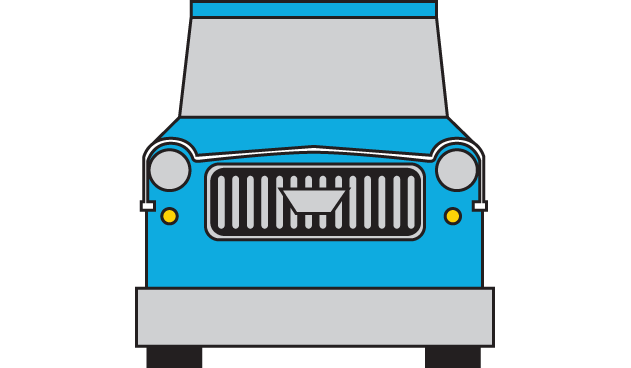
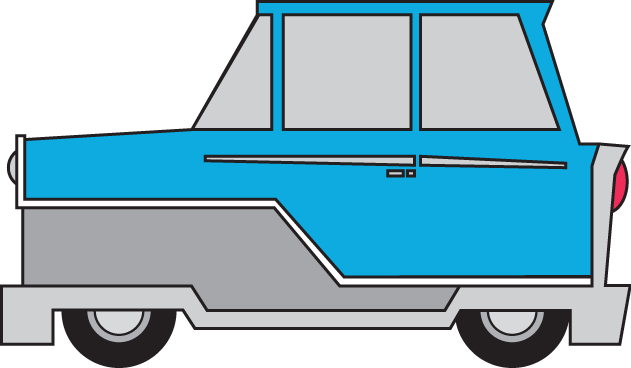
Blender TutorialIn this tutorial I finish The Incredibles car I started making in part 9. We’ll learn how to create curved edges, how proportional editing works, creating and extruding edges and a whole lot more.

I have the images I used to model the car here Front, Back and Side. A Cheat Sheet follows the video below. In it I list the different short cut keys I used to make the car and all it’s parts. Continue reading Blender Tutorial 10

Blender Tutorial 9

Blender TutorialIn this part of my Blender Tutorial I start creating a more complex model based on Mr. Incredibles car in the movie The Incredibles. I’m going to cover everything at a slower rate so that everyone will know the exact steps for modeling complex shapes.

Here are the images I used to model the car Front, Back and Side. Following the video I also have a cheat sheet in which I list the key codes I used in the video. Continue reading Blender Tutorial 9

Blender Tutorial 7

Blender TutorialWe’re going to have some fun in this Blender Tutorial! We are going to learn how to model 3D shapes in Blender. First I’ll demonstrate how to make a gear using the techniques we’ll use to create more complex models. Then we will make a 3D dog using a reference image.

We make 3D models using Extrude, Move, Scale and Loop Cuts. We also use the Boolean Modifier to make cuts in our shapes. Everything I did in this video is available after the video below. Continue reading Blender Tutorial 7

Blender Tutorial 6

Blender TutorialCycles is Blenders production level render engine and today we are going to learn how to use many Cycles shaders. We’ll learn about Diffuse, Glossy, Anisotropic, Toon, Subsurface Scattering, Add, Mixer and Glass shaders. We’ll also learn how to import HDRI panoramic background images, create cartoony textures, simulate skin and create beautiful diamonds.

The finished file is here and the cheat sheet follows the video below. This was fun to make 🙂 Continue reading Blender Tutorial 6

Blender 2.79 Tutorial 2

Blender TutorialWe’re going to continue learning about all the tools in Blender. We’ll cover the rest of the Edit tools we didn’t cover last time. We’ll learn an easy way to snap merge vertices. We’ll learn how layers work. Then we’ll learn how to use the following Modifiers : Array, Wave, Bevel, Boolean, Build, Decimate, Edge Split, Mask and Mirror.

If you haven’t seen part 1 of this series watch it first. Also check out the cheat sheet that follows the video below. Continue reading Blender 2.79 Tutorial 2

Blender 2.79 Tutorial

Blender TutorialIn this tutorial I’ll teach all the basics you need to start creating amazing 3D models using Blender. Blender allows you to do anything involving 3D including modeling, animation, simulation, game design, movie editing, etc.

This is a multipart tutorial, but by the end of this video you should feel more then comfortable with using Blender. You can download it here. This is the mouse I use. Continue reading Blender 2.79 Tutorial

How to Make Video Games 31

Legend of Zelda CloneIn the final video of my How to Make Video Games series I’ll cover many things not covered before. We’ll mainly focus on how to animate throwing the boomerang. I’ll animate the path and rotation of the boomerang directly in Unity. I’ll then write the code for stunning the villains hit by the boomerang.

We’ll also destroy bushes, pick up gems, attack villains and much more. The full project is available here for download. Continue reading How to Make Video Games 31

Peloton Cycle Review

Peloton Cycle ReviewI recently received a Peloton cycle and I thought it would be fun to talk about my experiences. I’ll cover why a stationary bikes are amazing at improving your health. I’ll also show the Pelotons specs and compare it to other bikes at different price points. I’ll show my results and also talk about the numerous class types, instructors and more.

If you want to see my Strava and Peloton class stats look here. You can save $100 on Peloton accessories with my referral code : 3CE646 See classes here under Find Your Ride. Continue reading Peloton Cycle Review

How to Make Video Games 30

Legend of Zelda CloneIn this part of my video game tutorial I will continue making Zelda. I’ll focus this time on something I have not covered before which is how to create the AI for our villain so that he will travel on his own around the game board looking for Link. The villain will travel around using very few system resources. He will be able to locate Link any place on the map. We will use multidimensional arrays to store travel nodes. We will also learn how to find out which node game objects are closest to.

All of the code used follows the video below. Continue reading How to Make Video Games 30

How to Make Video Games 29

Legend of Zelda CloneIn this part of my How to Make Video Games series I will continue making a Zelda clone. I’ll create animations for the villains and animate them. I’ll also cover a new way to animate Link’s sword from inside of code. We’ll use coroutines to make items show and then disappear on the screen and a whole lot more.

All of the code used follows the video down below. As always feel free to do what ever you’d like with it. Continue reading How to Make Video Games 29

Clojure Tutorial

Clojure TutorialClojure is a functional programming language based on Lisp that runs on the JVM. In this one video we’ll cover the core language in one video. Basically I condensed a 300 page book into one 1 hour video.

I covered how to install Emacs here and how to set up Clojure here. Down below you can find both a timestamp list of all topics covered as well as a cheat sheet for the whole tutorial. I hope it helps 🙂 Continue reading Clojure Tutorial