Category Archives: Web Design

Design To Website, Blog How To Set Up, Google Update Pagerank, Google Crawl, Free Submit Site

Android Development for Beginners 12

Creating App Inventor InterfacesIn this video I’ll focus on creating App Inventor interfaces. I’ll take the vector art I made in the last tutorial and convert it into a App Inventor interface.

I create regular non-App Inventor interfaces in pretty much exactly the same way. Here is the original vector art I created. Here is the finished transparent PNGs I made in this video. The component information follows the video. Continue reading Android Development for Beginners 12

Samsung Smart App Challenge 2013

Samsung Smart App Challenge 2013 WinnerLast year I did a big promotion for the Samsung Smart App challenge, so I thought it would be fun to take a look at who won and why they won. The main goal of those developers that participated was to develop apps specifically for the S4 device, but also to incorporate the Samsung Chord capabilities into those apps.

I am going to get the opportunity to ask one of the developers questions. Leave the questions you want me to ask below. Continue reading Samsung Smart App Challenge 2013

Android Development for Beginners 11

Android Interface DesignIn this part of my App Inventor tutorial I will start covering Android interface design. I want the weather app we have been creating in parts 9 and 10 of this series to look very nice.

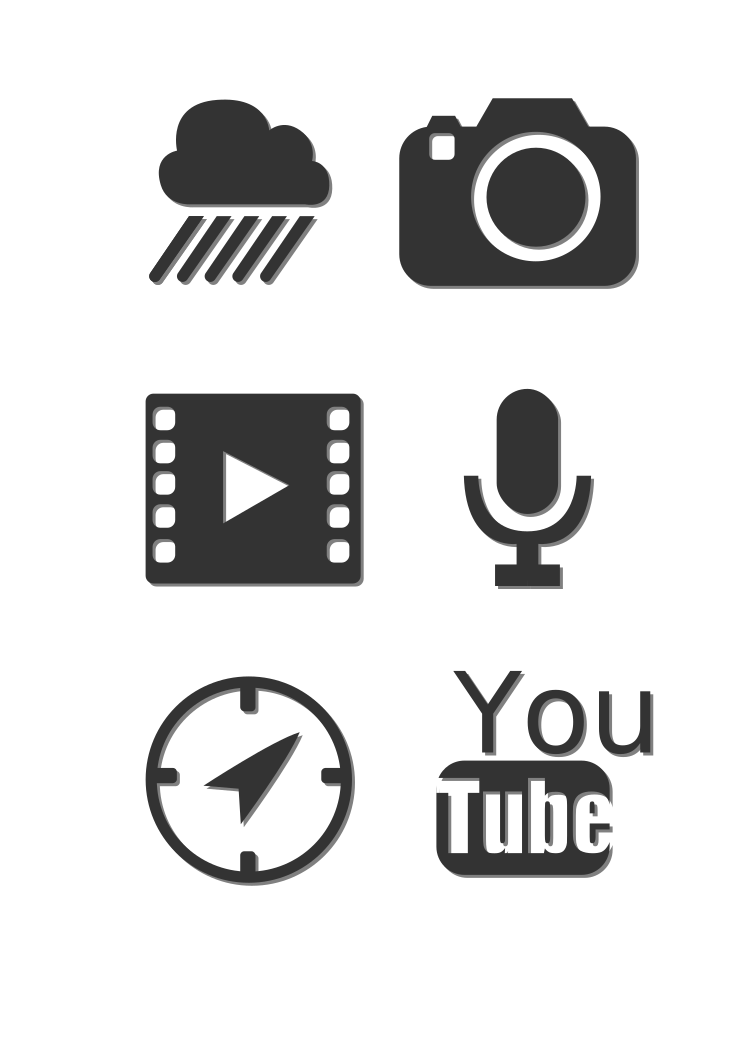
Here I’ll show you how I created the layout and I’ll also walk you through the techniques needed to draw all of your icons in Inkscape. The vector art is available here. Here is an Inkscape video tutorial if you’d like to learn more. Continue reading Android Development for Beginners 11

Android Development for Beginners 10

App Inventor Parse JSONIn this tutorial I’ll walk you step-by-step through the process of using App Inventor to Parse JSON data. You have to watch the last tutorial to understand this one.

I’ll pull JSON weather data from Weather.gov and show how App Inventor organizes that data. I’ll then pull in specific data that we will use to create our Android weather app. I’ll also show you how to add padding to components in App Inventor. All of the blocks used can be found after the video below. Continue reading Android Development for Beginners 10

Android Development for Beginners 9

Parse JSON Data with App Inventor This is the first video in a series in which we will make a professional weather app for Android. In this video I will show how to parse JSON Data with App Inventor. I also cover the App Inventor Web component, using Location Sensor, converting JSON data into an App Inventor List and much more.

I pull all the weather data from weather.gov. If you want international weather data I’d use the JSON feed from the Weather Underground. All of the blocks follow the video. Continue reading Android Development for Beginners 9

Android Development for Beginners 8

Make an Android ToolbarIn this part of my tutorial I’ll show you how to make an Android toolbar and then show how to switch between screens in App Inventor.

We’ll finish up the icons we made in the previous tutorial. You can download them here. Then I’ll shrink them to size in Photoshop. Then we’ll put the toolbar together in App Inventor and use them to switch screens. The blocks used can be found after the video below. Continue reading Android Development for Beginners 8

Android Development for Beginners 7

Drawing Android ButtonsIn this tutorial I’ll show you most of what you need to know for drawing Android buttons for your interfaces. I’ll be using a free program called Inkscape to draw 6 buttons. I did my best to cover all of the most common techniques you will need in this one tutorial.

If you want to know more about Inkscape, I have an Inkscape Video Tutorial that goes over most everything you can do with Inkscape. Here is the finished vector art from this tutorial. Continue reading Android Development for Beginners 7

Android Development for Beginners 6

Android Beat Box AppIn this tutorial I decided to make an Android Beat Box App. It could also be converted into a voice note app, or anything else that would benefit from being able to record and later play back sounds.

I’ll specifically cover how to use the Android SoundRecorder, Player, take another look at using list, teach more about logic and incremental programming. All of the blocks used can be found below after the video. The answer for the Reset Button homework is also down there. Continue reading Android Development for Beginners 6

App Inventor Java Code

App Inventor Java CodeI have been asked numerous times to show the App Inventor Java Code. So here is a zipped archive for all the class files. You can take those classes and easily open them with a program called JD GUI. There are versions of it for every OS.

I got the code pretty easily with 2 programs being the apktool and Dex2Jar. They can convert APK files into the class files most of the time. After you install them you issue the following commands in your terminal or command prompt: Continue reading App Inventor Java Code

Android Development for Beginners 5

Android Development for Beginners 5In this tutorial I thought it would be fun to make 2 apps. I make an app that grabs weather map data dynamically and displays it. I also make an app that shows how to use the camera, image picker and TinyDB with App Inventor.

I got the maps from the Weather Underground and weather.com. All together I show how to display images from the internet, take pictures, retrieve images from the gallery, store pictures in TinyDB, resize your app to fit any device and more. The blocks used can be found under the video below. Continue reading Android Development for Beginners 5

Android Development for Beginners 4

Android Development for Beginners 4In this tutorial I’ll finish up the app I made in the last part. I’ll continue to cover event handling, sliders, and notifier. I’ll also cover how to open other App Inventor apps, browsers, email, Google Maps, YouTube and more.

All the blocks I drew in the video follow below the video to help. Next time I will create an app that will show how to display audio, video, images and more locally and across the internet. Continue reading Android Development for Beginners 4

Android Development for Beginners 3

App Inventor ActivityStarterIn the next 2 parts of my App Inventor video tutorial I will take a step back and cover a bunch of topics in general. I’ll spend a lot of time showing how to use the App Inventor ActivityStarter. We’ll see how to open other App Inventor apps, browsers, email, Google Maps, YouTube and more.

I’ll also cover using lists, event handling, sliders, notifier, check boxes and much more. All the blocks I drew in the video follow below the video to help. Continue reading Android Development for Beginners 3

Android Development for Beginners 2

app inventor blocks editorIn this part of my Android development tutorial for beginners I will focus on the App Inventor Blocks Editor. I did my best to cover as much as possible in this one video. I also have pictures of the blocks below to help everyone easily copy from them.

I cover Location Sensor, global variables, changing label text, working with strings, Sound, Buttons, Event Handling, Text to Speech, Vibration, Accelerometers, Orientation changes, Dialog boxes, executing activities, and so much more. Continue reading Android Development for Beginners 2

Android Development for Beginners

Android Development for BeginnersThe time has come to cover Android Development for Beginners. After reading hundreds of comments it has become clear that well over 80% of the apps everyone wants to make can be made using a tool called App Inventor. Over the next few videos I will cover everything you can make with App Inventor.

I’ll cover how to install App Inventor and then use it to make an app that uses GPS, Opens Dialog Boxes, Opens other apps, vibrates devices, plays sounds, converts text to speech, uses the accelerometer, adapts to screen orientation and more. Continue reading Android Development for Beginners

Ask Me Anything

Ask Me AnythingI noticed a few weeks back that I have over 1,000 Google Hangout requests. While I go out of my way to answer every question I receive it would be impossible to personally talk to each and every one of you nice people 🙂

So, I thought maybe it would be a good idea to have a live Ask Me Anything type video where I can answer many of the questions that come up all of the time, or anything else you may be interested in. I’d answer all the questions live on YouTube, but to help me decide if this is a good idea or not, leave any questions you have below in the comments. Continue reading Ask Me Anything

Samsung Mobile SDK Tutorial 9

Samsung Mobile SDK Tutorial 9This is the final video in my Samsung Mobile SDK Tutorial. It has been a ton of fun exploring a new SDK literally days after it was introduced to the public. I did my best to also cover a bunch of general Android topics as well.

Here I’ll specifically finish up the paint application we started back in part 7 of this series. We’ll create all of the event handlers we need to make sure our app runs like a professional tool. All of the code follows the video and it is heavily commented so it can be translated. Continue reading Samsung Mobile SDK Tutorial 9

Samsung Mobile SDK Tutorial 8

Samsung Mobile SDK 8In this part of my Samsung Mobile SDK tutorial I continue making the paint application we started in part 7.

I’ll specifically be covering all the libraries required and what they do. We’ll look at how to initialize the S Pen, the components used in our app, and how to set up the event listeners so that the settings windows and tool bar operates properly. All of the code and the transcriptions for the video can be found below the video. Continue reading Samsung Mobile SDK Tutorial 8

Samsung Mobile SDK Tutorial 7

Samsung Mobile SDK TutorialWelcome to part 7 of my Samsung Mobile SDK Tutorial. In this part of the tutorial I’ll cover how to create toolbars for use with any Android app. I’ll then cover additional functionality that the Samsung S Pen provides as well as covering how to create settings windows, import images from the image gallery and more.

All of the code follows the video below. I recently announced the winners of my Samsung Galaxy Note 3 and Galaxy Gear Smart Watch contest. Congratulations to the winners and thank you Samsung for allowing me to have such a great contest! Continue reading Samsung Mobile SDK Tutorial 7

Samsung Mobile SDK Tutorial 6

Samsung S Pen TutoriaIn this part of my Samsung Mobile SDK tutorial I will focus in on the S Pen. I’ll cover how to use the S Pen settings popup. We’ll also look into how to change the look of buttons depending upon their state changes. After I cover the basics of buttons in the next tutorial we’ll make a tool bar.

In general we are putting together all of the pieces that would be required to create a professional Android paint app. All of the code follows the video below. Continue reading Samsung Mobile SDK Tutorial 6

Samsung Mobile SDK Tutorial 5

Samsung SLook AirButtonIn this part of my Samsung Mobile SDK tutorial we will look at the Samsung SLook AirButton. AirButton is going to allow us to create custom menus on the screen and time the user clicks on an active area in the app with the SPen button.

With Samsung AirButton you can use S-Pen to view content, select menus or insert images for quick content access. AirButton shows you information from anywhere and anytime and it can perform additional operations when you bring your S-Pen near the target view and press the side button. Continue reading Samsung Mobile SDK Tutorial 5